Bhala
Markbook platform for South African schools
Finished and working, not yet stood up for a school.
What Bhala is.
Marks are append-only and the database enforces it, absences are never scored, and mark entry works offline.
Bhala is a markbook for a primary school class. A teacher picks a class, a subject and a term, enters marks one assessment at a time, and the term mark is worked out from weights that sit on the screen rather than typed in by hand. The same marks then feed a read of the class, a report comment built from sentences the school wrote itself, and the groundwork for next year's classes.
We built it, and it is finished. Every screen below is the product's own public demo school, which the software labels on every page: the pupils, the teacher, the marks and the comment are fictional, and no real class was opened to take these.
The markbook itself.
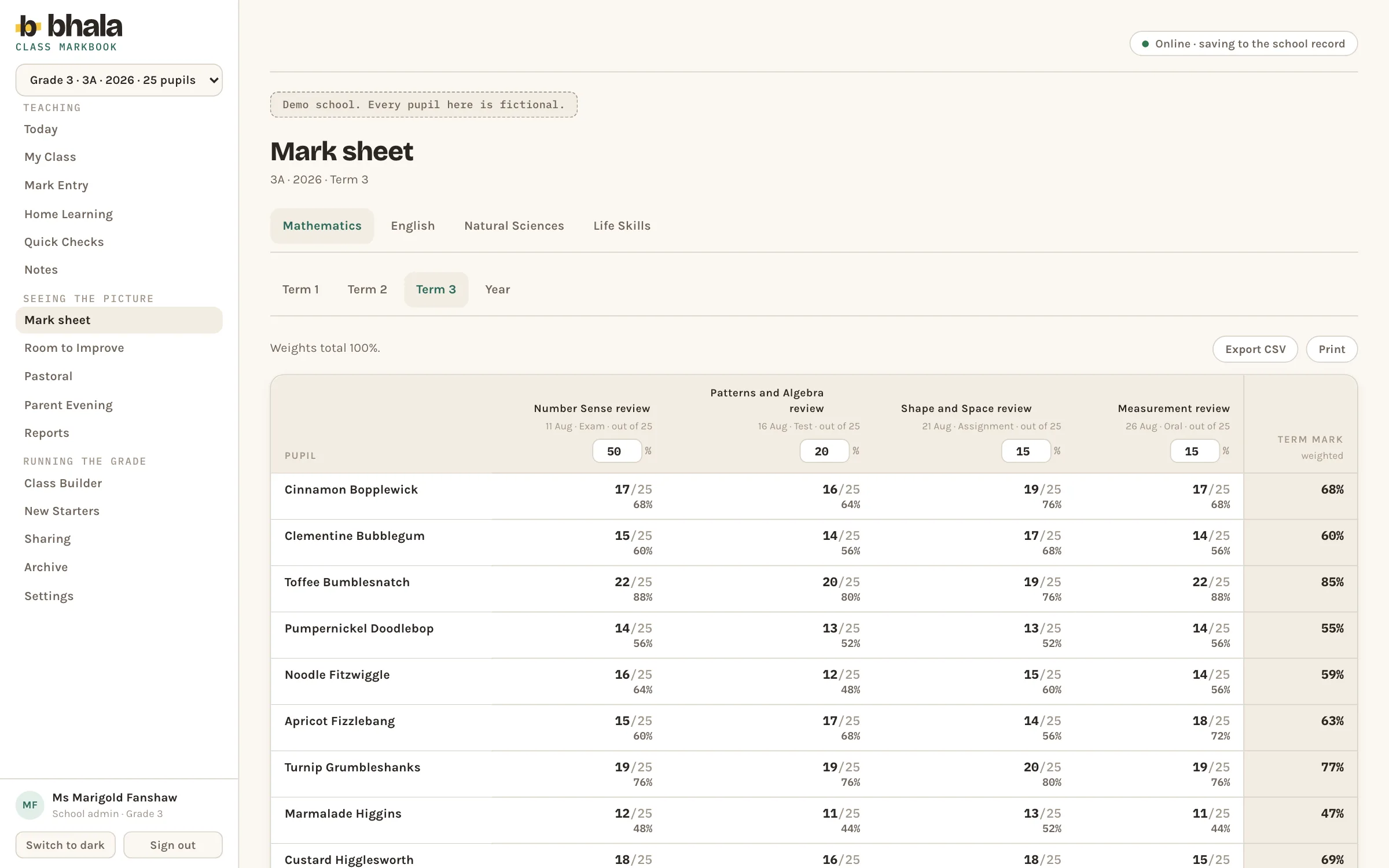
Pupils down the left, assessments across the top, each headed with its date, its kind and what it was out of. The weight on every assessment is editable in place and the total is shown beside them, and the term mark on the right is worked out from those weights rather than entered. Subject and term tabs sit above, and the sheet exports and prints.
Where marks go in.
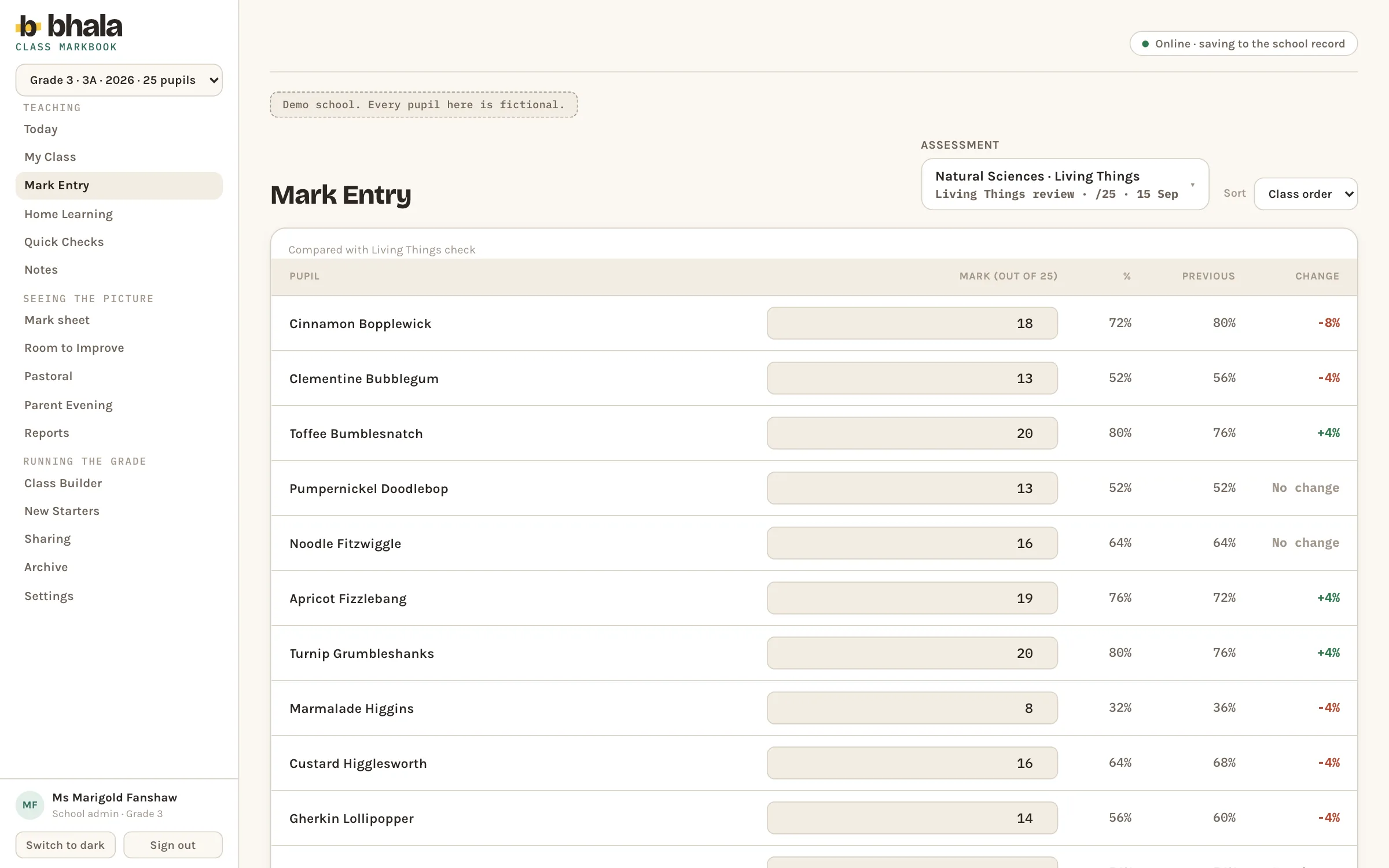
Mark entry takes one assessment at a time. Each pupil gets a box, and beside it the mark as a percentage, that pupil's own previous result, and the difference between the two. A slip shows itself while the teacher is still marking rather than at the end of the term.
The class as people.
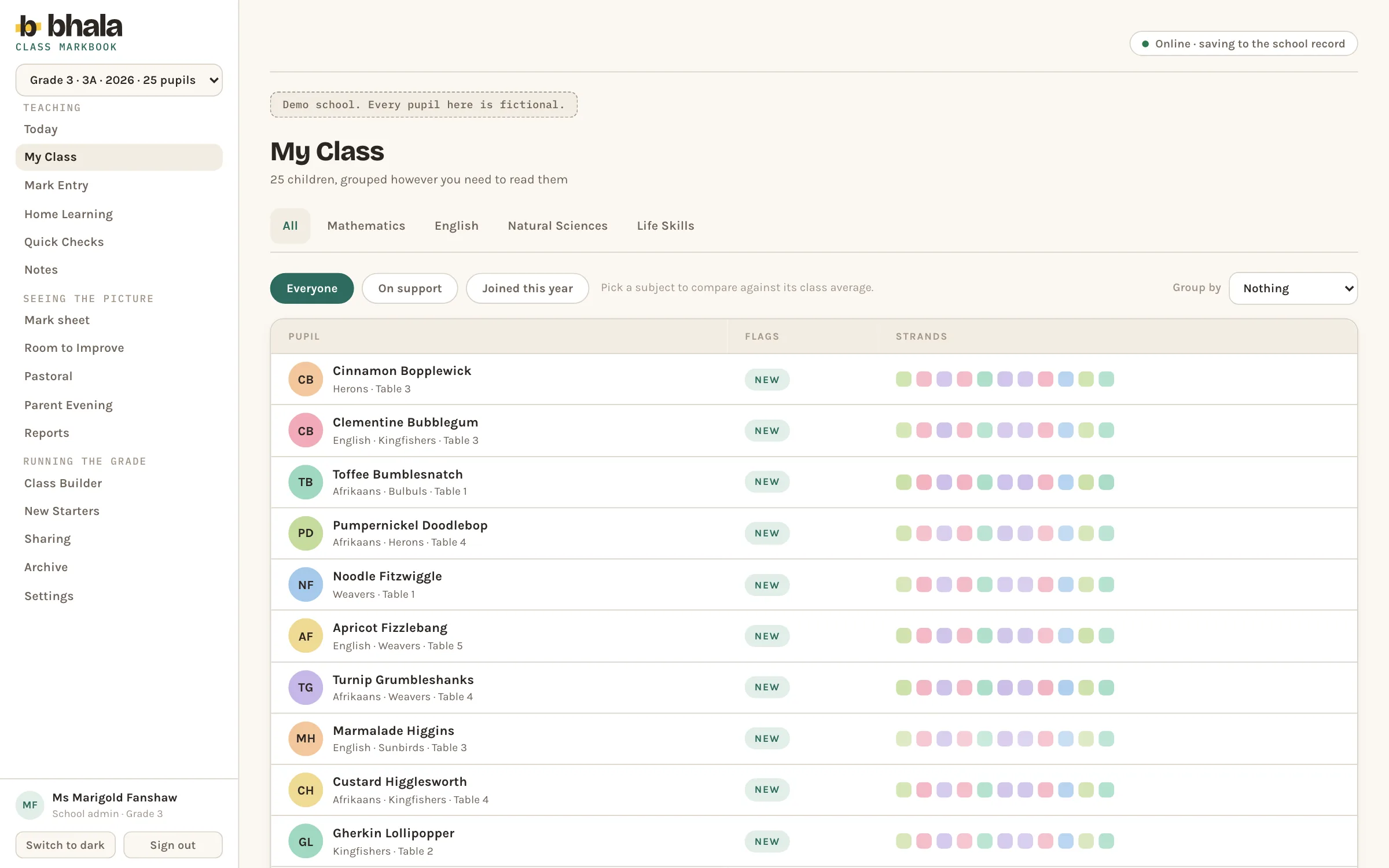
My class reads the register rather than the grid. Every child carries their initials, their home group and table, any language they take, a flag column for anything the teacher has marked, and a strip of strand markers. It filters to everyone, to children on support, or to those who joined this year, and it groups by whatever the teacher needs to see.
Patterns, stated carefully.
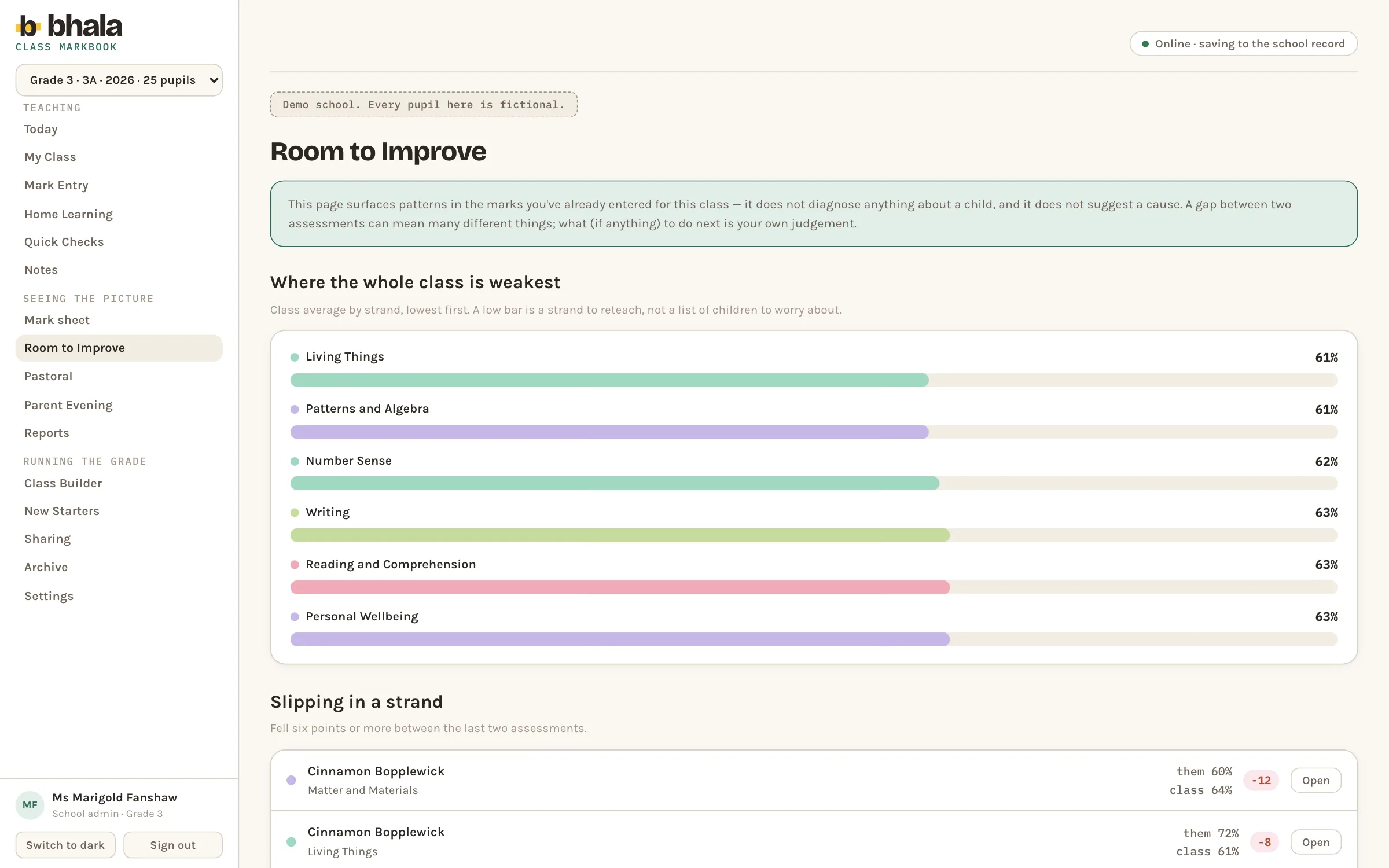
Room to improve reads the marks already entered and says two things: which strands the class as a whole is weakest in, lowest first, and which children have fallen by six points or more between their last two assessments, shown against the class average. The banner above both is explicit that the page surfaces patterns, does not diagnose a child and does not suggest a cause, and that what to do next is the teacher's own judgement.
Next year's classes start with people.
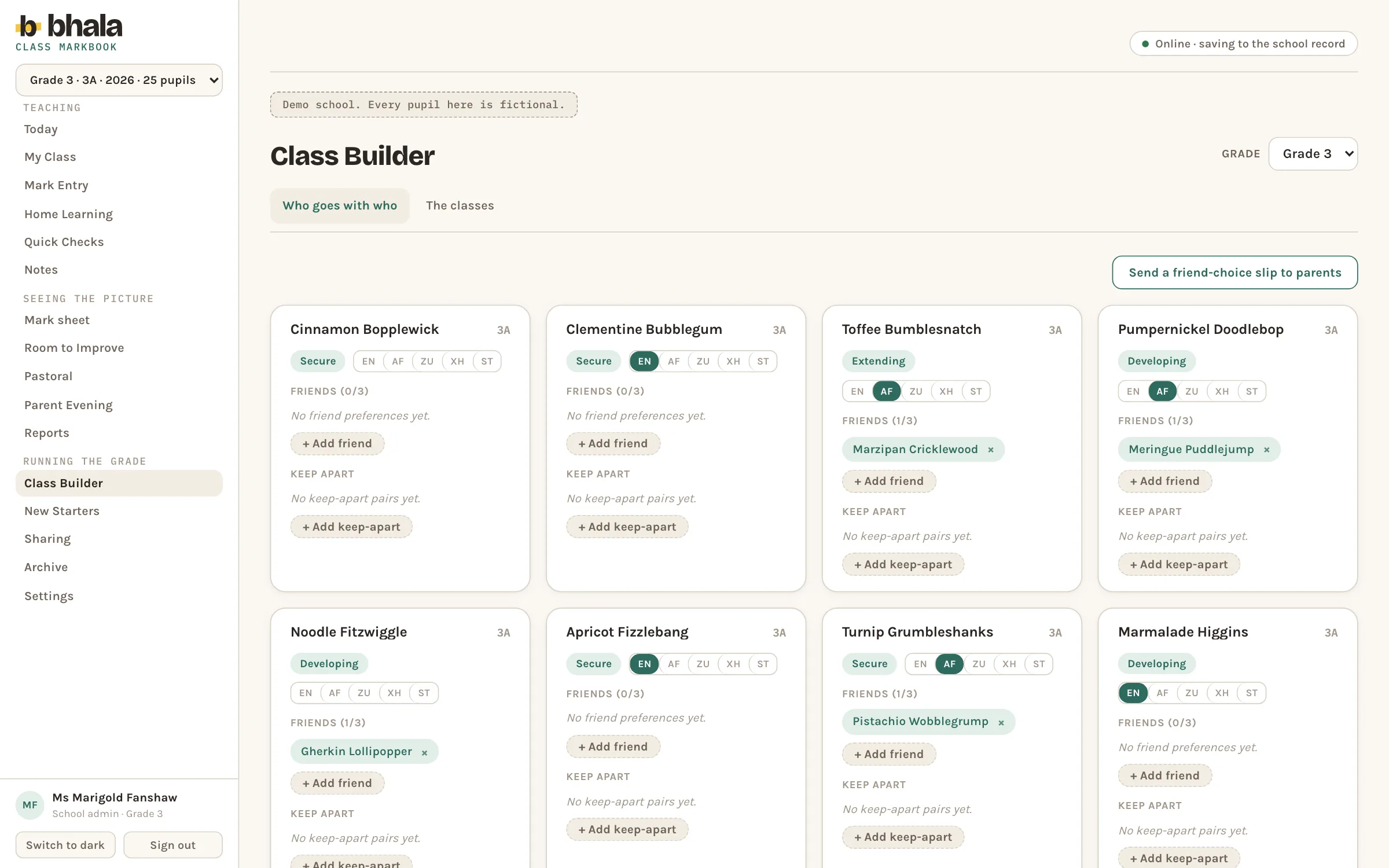
Class builder collects the human constraints before anything is sorted. A card per child carries the band the school has them in, the languages they take, up to three friend choices and any pairs to keep apart, and one control sends a friend choice slip to parents, so the choices come from the children rather than from a guess.
Reports built from the school's own sentences.
The report screen puts a pupil's term mark, their level, their strand marks with an achievement level each and an effort grade on one side, and the school's own phrase bank on the other. A draft comment is assembled from those saved sentences and nothing else, and the panel states in the interface what may never enter a draft: sensitive records, the ability bands the phrases are chosen with, and private staff notes.
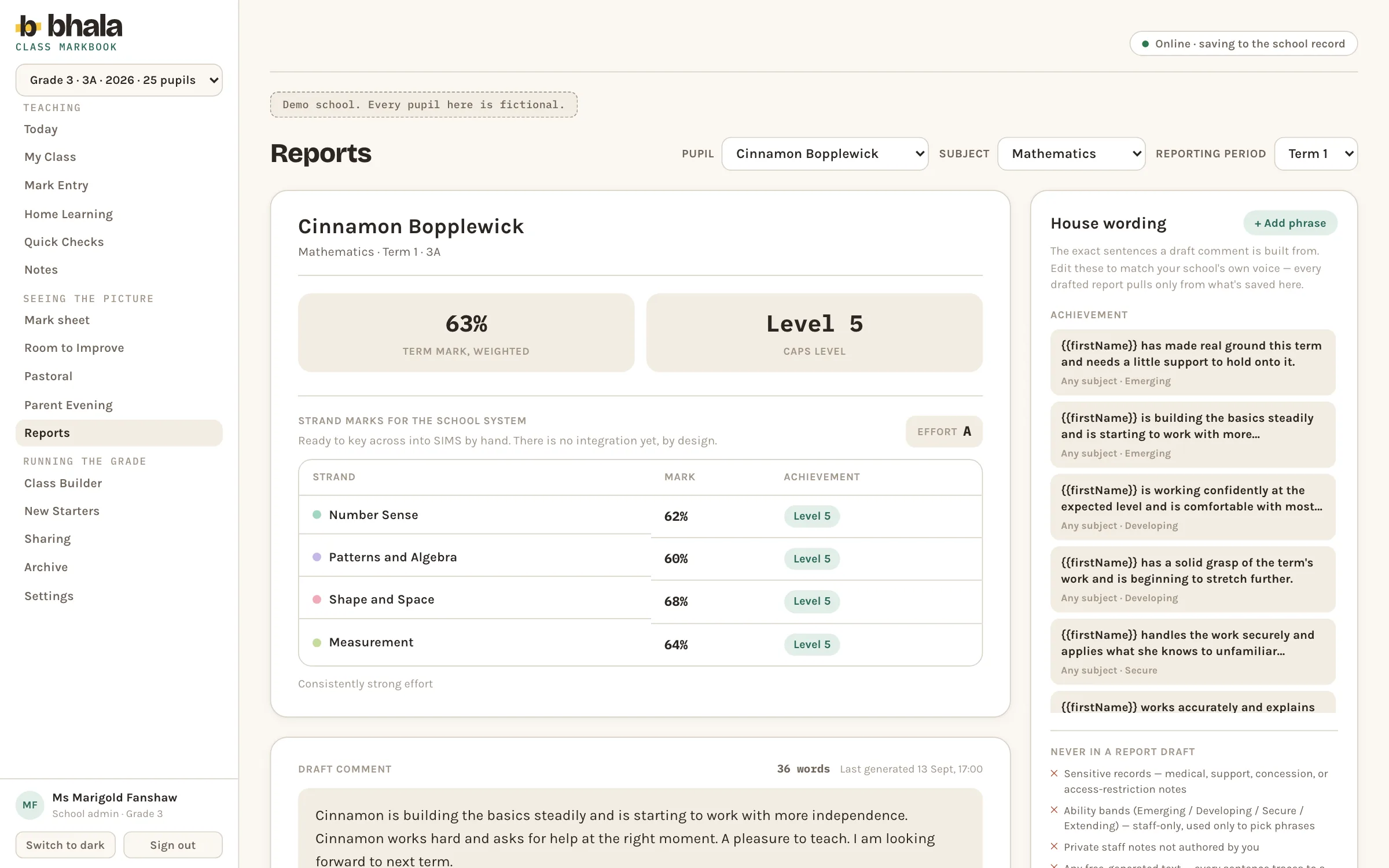
Every Bhala screen here is the product's own public demo school, which the software labels on every page. The pupils, the teacher, the marks and the drafted comment are fictional, and no real class and no real child was opened to take these captures.
Start with what is slow.
Thirty minutes, no charge, with the people who would build it.
Book a callBring the problem rather than a specification. If it is not work we should take on, we will say so on the call, and there is nothing to prepare.